Category: DFIR Difficulty: Easy
Scenario: John Grunewald was deleting some old accounting documents when he accidentally deleted an important document he had been working on. He panicked and downloaded software to recover the document, but after installing it, his PC started behaving strangely. Feeling even more demoralised and depressed, he alerted the IT department, who immediately locked down the workstation and recovered some forensic evidence. Now it is up to you to analyze the evidence to understand what happened on John’s workstation.
Solution
I started by downloading the Trojan.zip file (password: hacktheblue) and extracted it into a new directory. Inside, I found 3 folders: disk artifacts (ad1 image), memory capture (VMware memory files) and packet capture (pcap).
Task 1
- What is the build version of the operating system?
My first thought was to start with the memory capture. The files, memory.vmem and memory.vmsn, are VMware memory dumps. Since memory forensics is ideal for this kind of task, I decided to use Volatility.
(I have volatility installed in the same directory as the challenge’s files)
python3 vol.py -f ~/Downloads/TrojanSherlocks/memory\ capture/memory.vmem windows.info
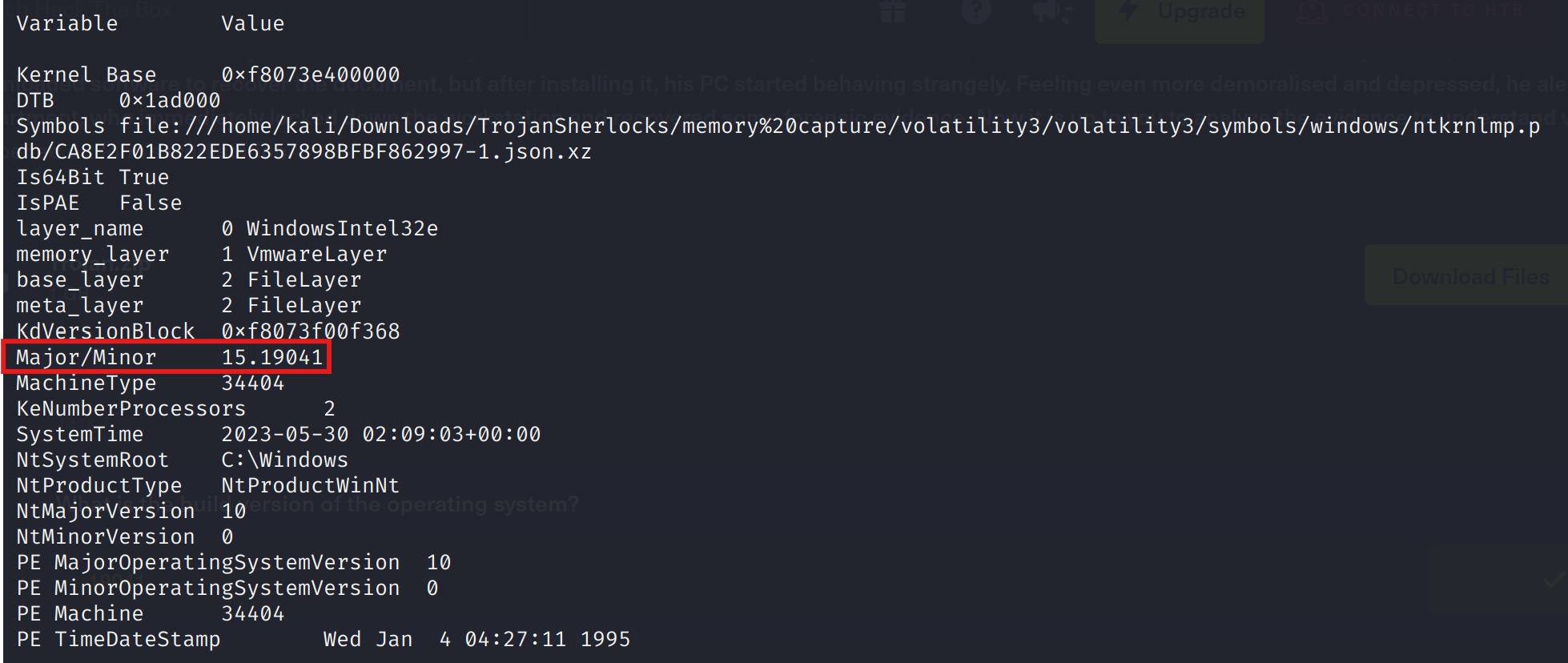
Above we have the build version for a windows 10 machine: 19041.
Answer: 19041
Task 2
- What is the computer hostname?
I first tried checking environment variables in memory python3 vol.py -f [path]/memory.vmem windows.envars | grep -i hostname, but nothing useful appeared. So I turned to the Windows registry in memory, where computer names are stored. Navigating to the ControlSet001\Control\ComputerName\ComputerName key revealed the hostname.
python3 vol.py -f ~/Downloads/TrojanSherlocks/memory\ capture/memory.vmem windows.registry.printkey --key "ControlSet001\\Control\\ComputerName\\ComputerName"
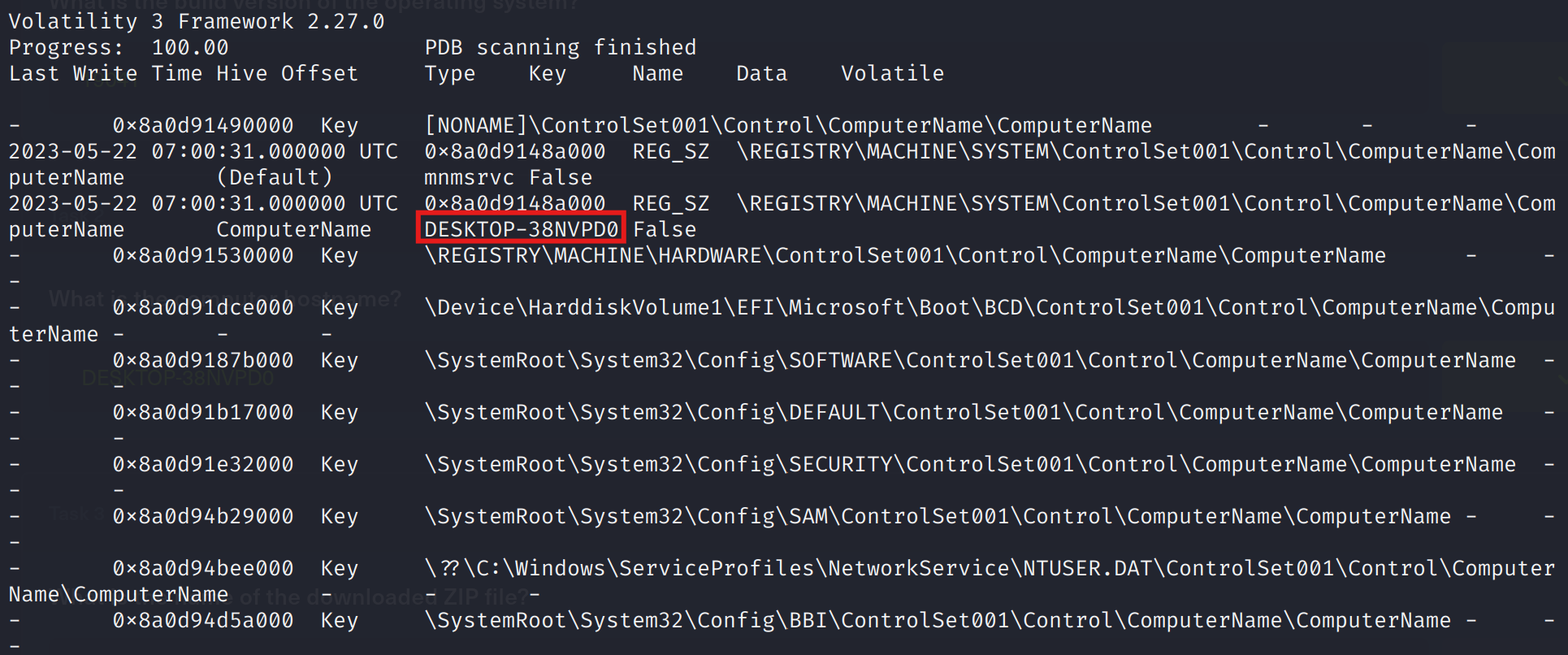
Answer: DESKTOP-38NVPD0
Task 3
- What is the name of the downloaded ZIP file?
Moving to the network capture, I opened the .pcap in Wireshark. Next, I searched for a packet with the extension .zip.
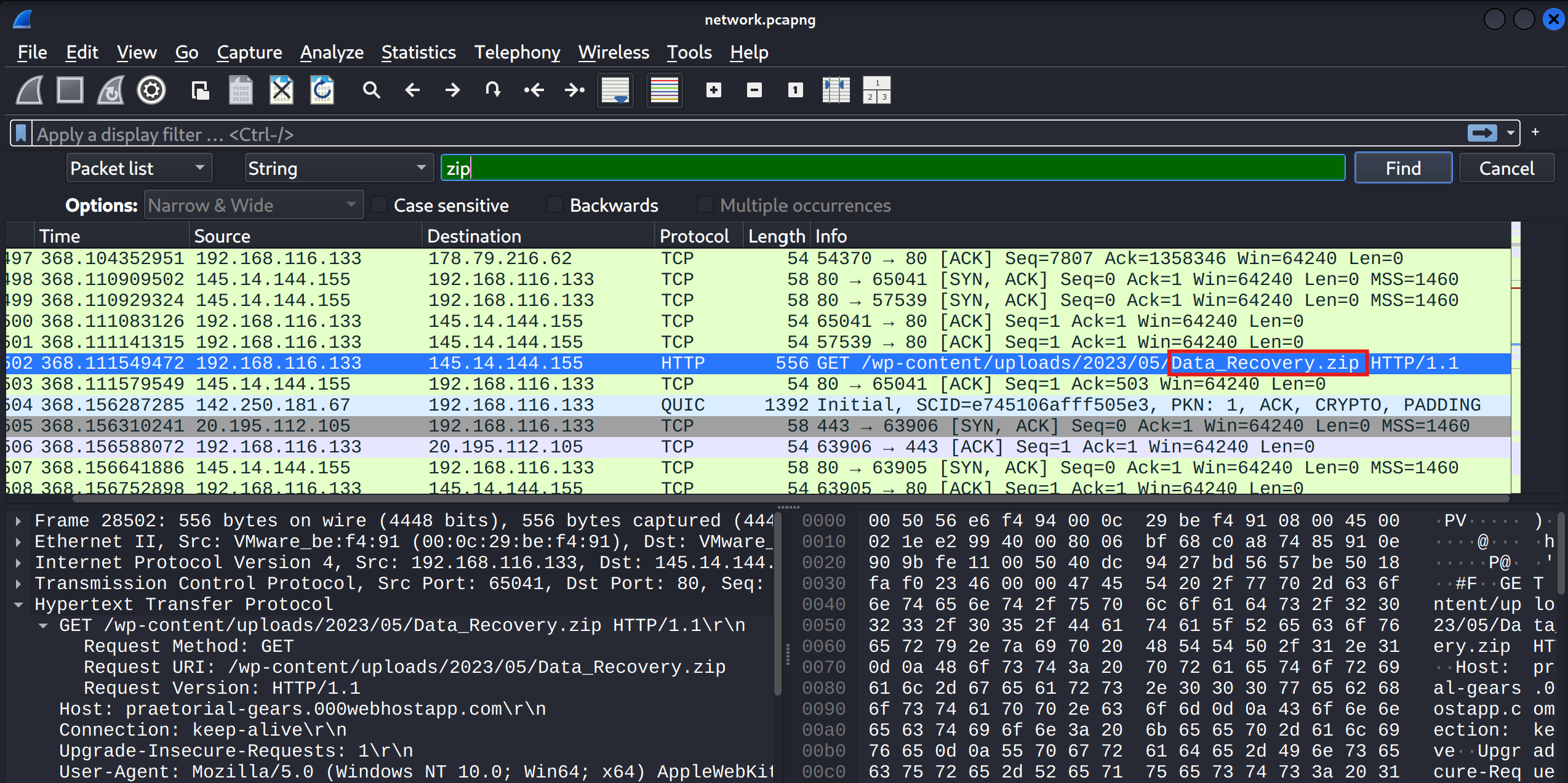
Answer: Data_Recovery.zip
Task 4
- What is the domain of the website (including the third-level domain) from which the file was downloaded?
Looking at the HTTP request headers in Wireshark, I could see exactly where the file came from: praetorial-gears.000webhostapp.com. It’s always helpful to track down the origin of malware, even simple trojans, because the domain might be associated with other malicious activity.
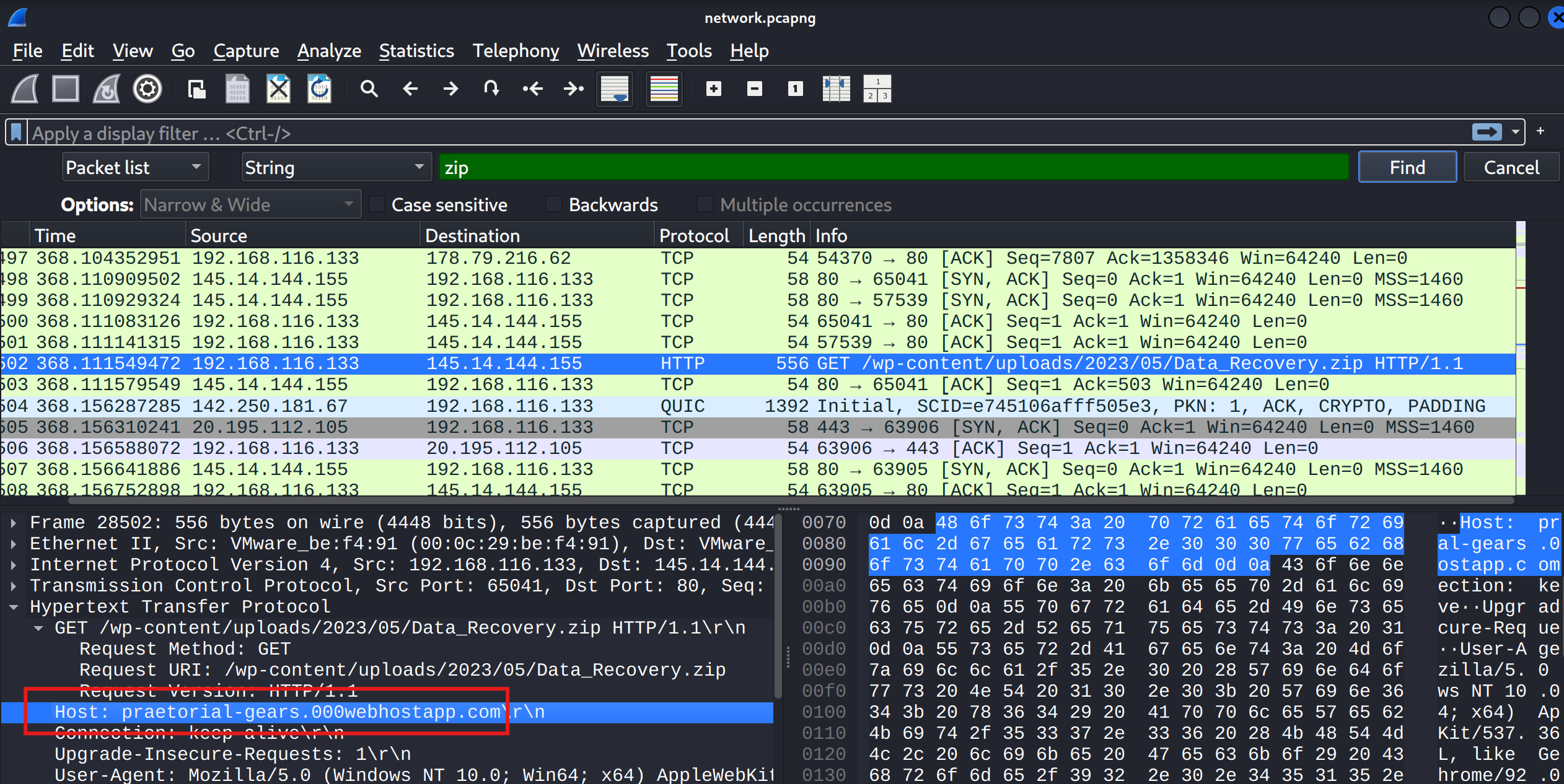
Answer: praetorial-gears.000webhostapp.com
Task 5
- The user then executed the suspicious application found in the ZIP archive. What is the process PID?
Back in the memory capture, I lister running processes using Volatility, this time with the function windows.pslist.
python3 vol.py -f ~/Downloads/TrojanSherlocks/memory\ capture/memory.vmem windows.pslist
At the bottom of the list, a process with the same name as the ZIP archive appeared.
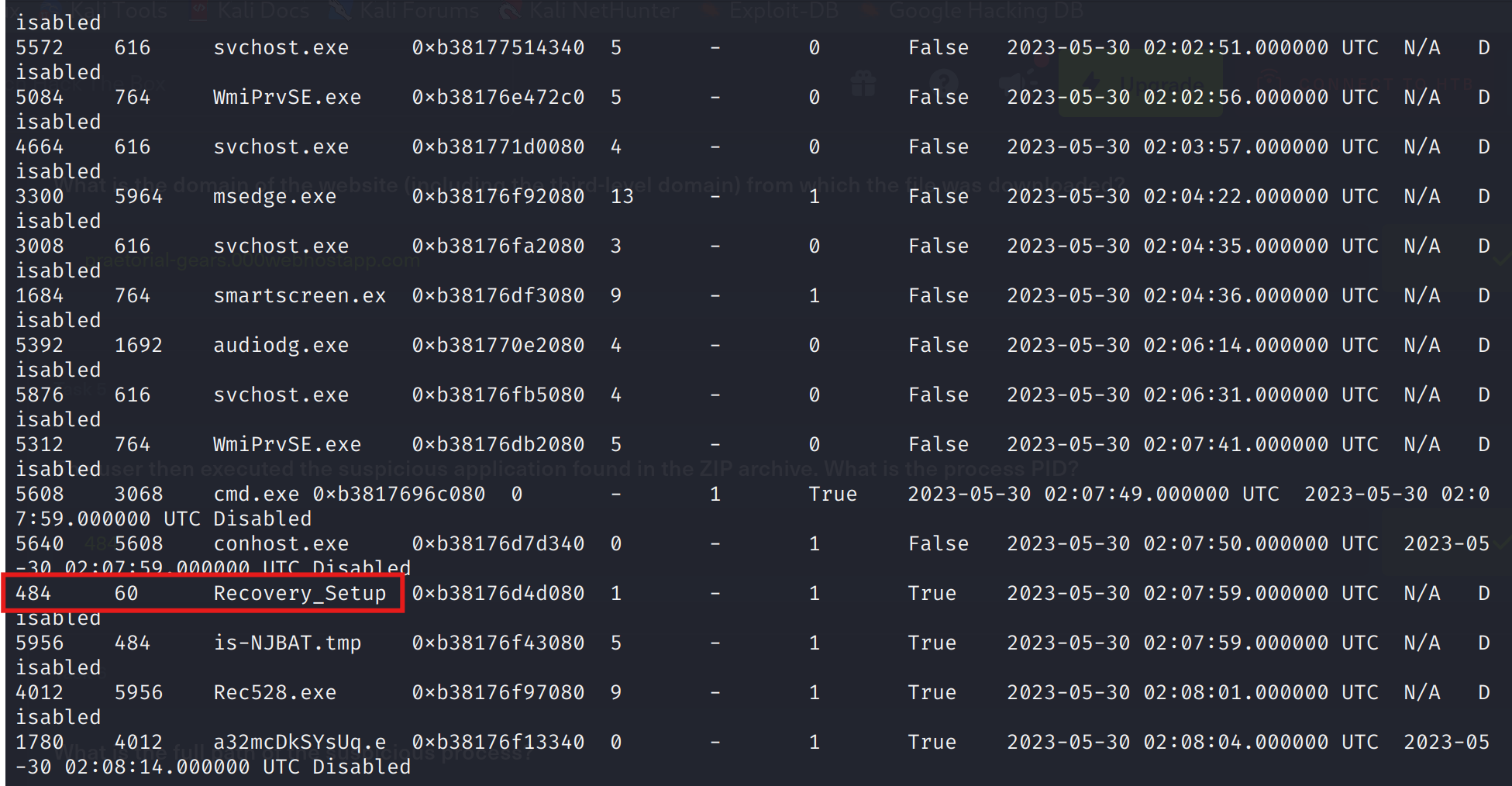
Answer: 484
Task 6
- What is the full path of the suspicious process?
To find exactly where the malware lived on disk, I used Volatility to inspect the process in detail. The dlllist function showed the full path:
python3 vol.py -f ~/Downloads/TrojanSherlocks/memory\ capture/memory.vmem windows.dlllist --pid 484
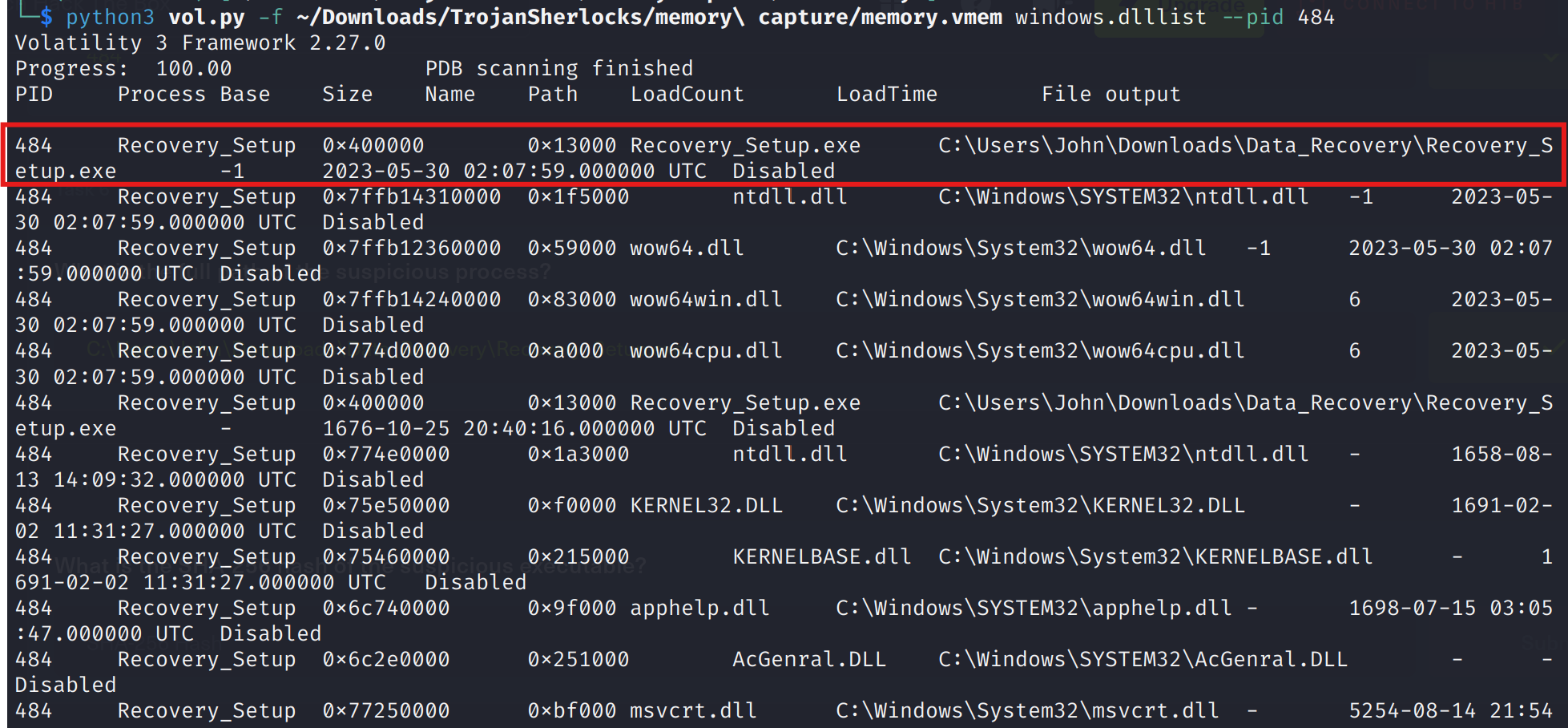
Answer: C:\Users\John\Downloads\Data_Recovery\Recovery_Setup.exe
Task 7
- What is the SHA-256 hash of the suspicious executable?
Usually, we can calculate a SHA-256 hash of a file directly, if we can navigate to the file’s path, but in this particular HTB scenario, the malicious executable is not on disk anymore, but in the memory capture.
So in order to find the hash, I will need to do a little bit of work. Firstly, I’ll dump the process from memory with function windows.dumpfiles.
python3 vol.py -f ~/Downloads/TrojanSherlocks/memory\ capture/memory.vmem windows.dumpfiles --pid 484
This command will dump the processes in the directory we’re working. As you can see it spit out more processes
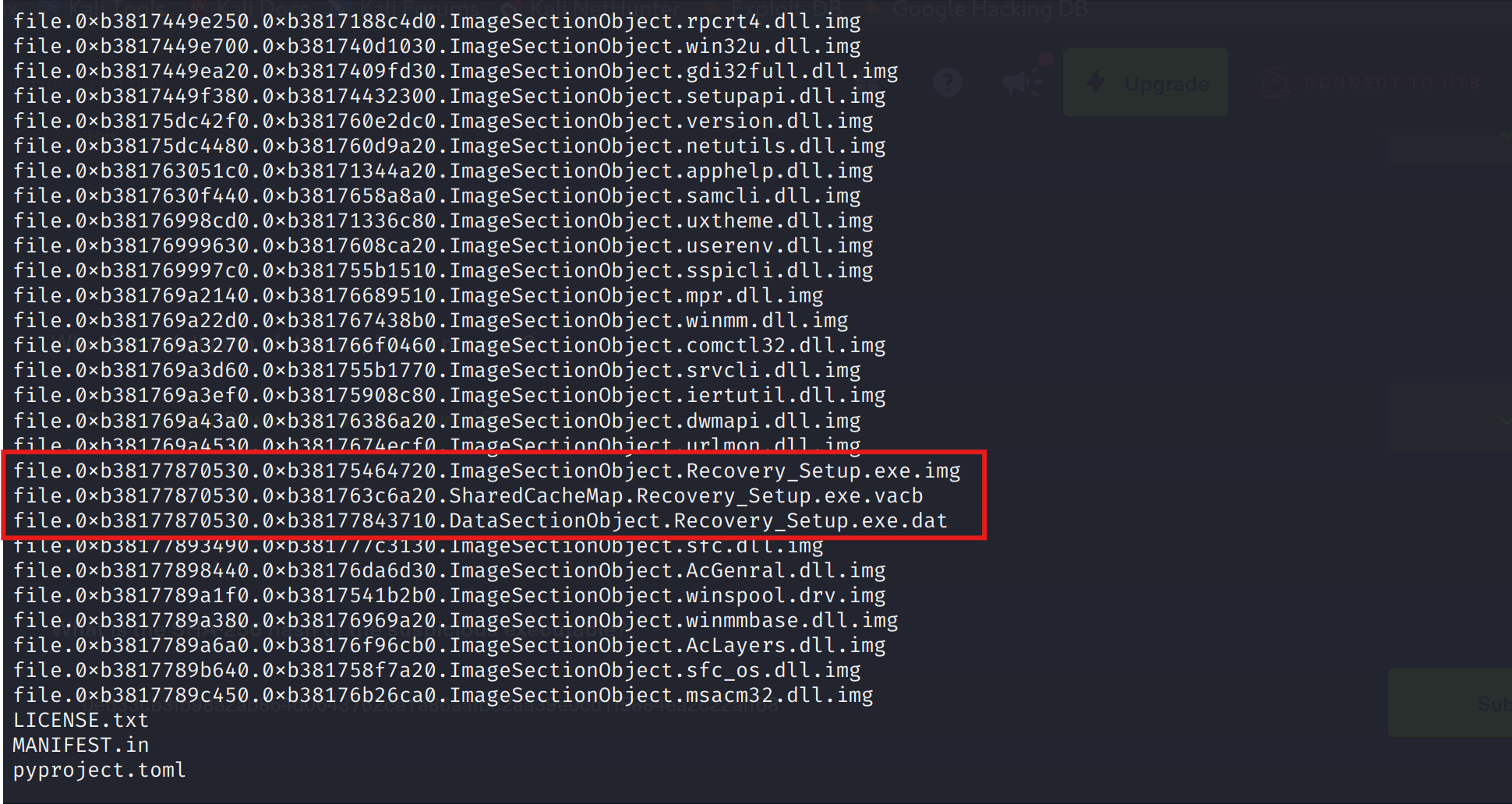
Then I proceeded to calculate the SHA-256 hash:
sha256sum file.0xb38177870530.0xb38177843710.DataSectionObject.Recovery_Setup.exe.dat
I did the same for each of them, but none of them worked as an answer. Only to realize that this function windows.dumpfiles produces multiple fragments of the same process, and these files are not guaranteed to be the “full executable”. Then I reminded that we are also provided with a folder named disk artifacts with an extension .ad1. In order to be able to solve this, I downloaded the files on my local windows machine, unzipped it and added the file into FTK Imager. You can also do this by opening the app, then press File -> Add Evidence Item -> choose Image File and open the .ad1 file. Then the image will appear in the left, in the evidence tree. Expand the image and navigate the filesystem to the path where Recovery_Setup.exe is. Right-click the file -> Export Files -> choose an output folder on your host machine.
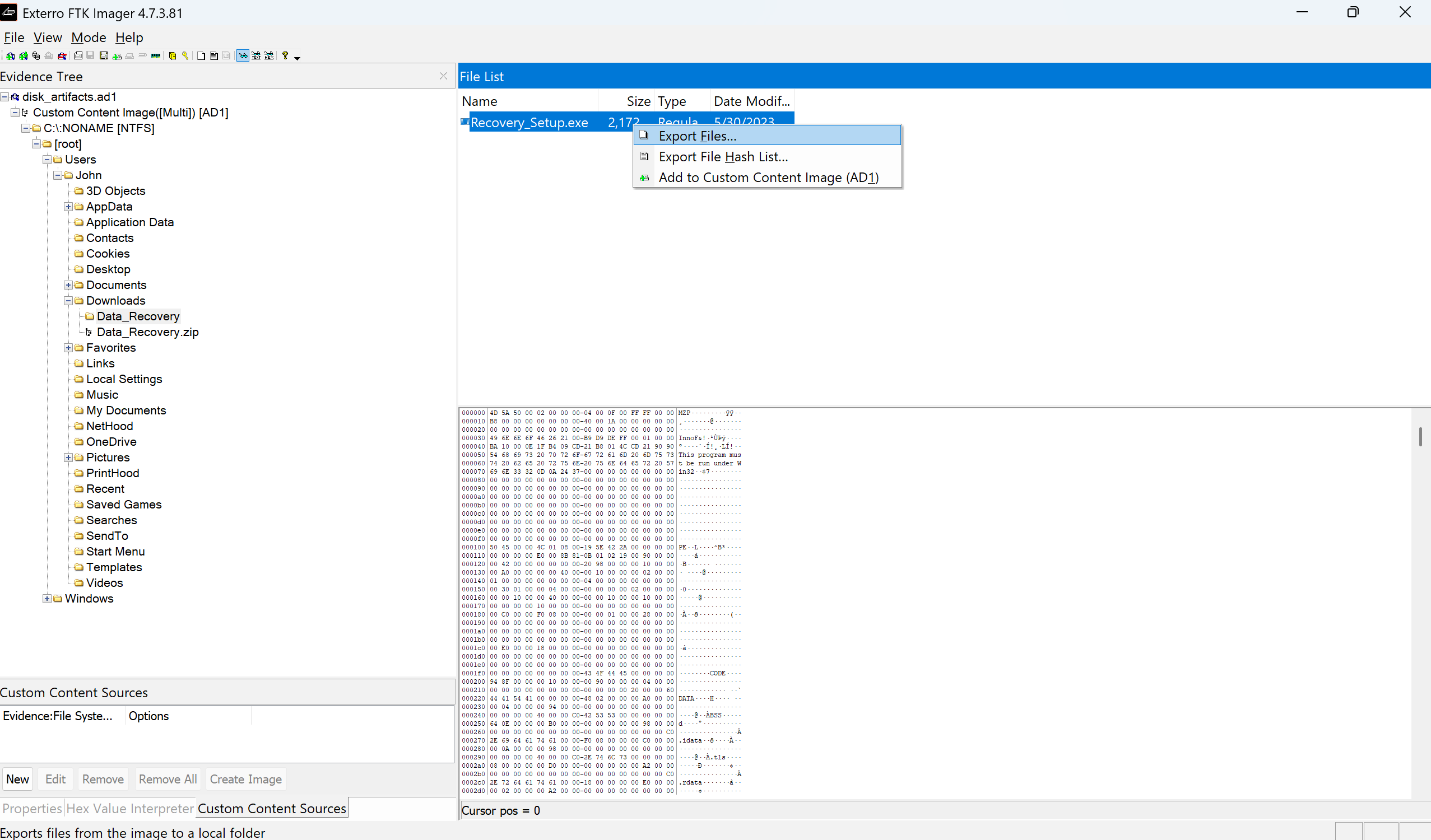
After exporting Recovery_Setup.exe, I opened PowerShell, navigated to the path where I exported the file, and run the command:
Get-FileHash .\Recovery_Setup.exe

Answer: C34601c5da3501f6ee0efce18de7e6145153ecfac2ce2019ec52e1535a4b3193
Task 8
- When was the malicious program first executed?
For this task, there are probably more solutions, but I’ll solve it with Prefecth + PECmd tool.
Prefetch is a Windows feature that stores metadata about executables that have been run. These .pf files are stored in C:\Windows\Prefetch\.
Each .pf file contains:
- Name of the program
- Full path of the executable
- Last execution timestamp
- Number of executions
- DLLs accessed
First I’ll export the RECOVERY_SETUP.EXE-<hash>.pf file from the disk image.
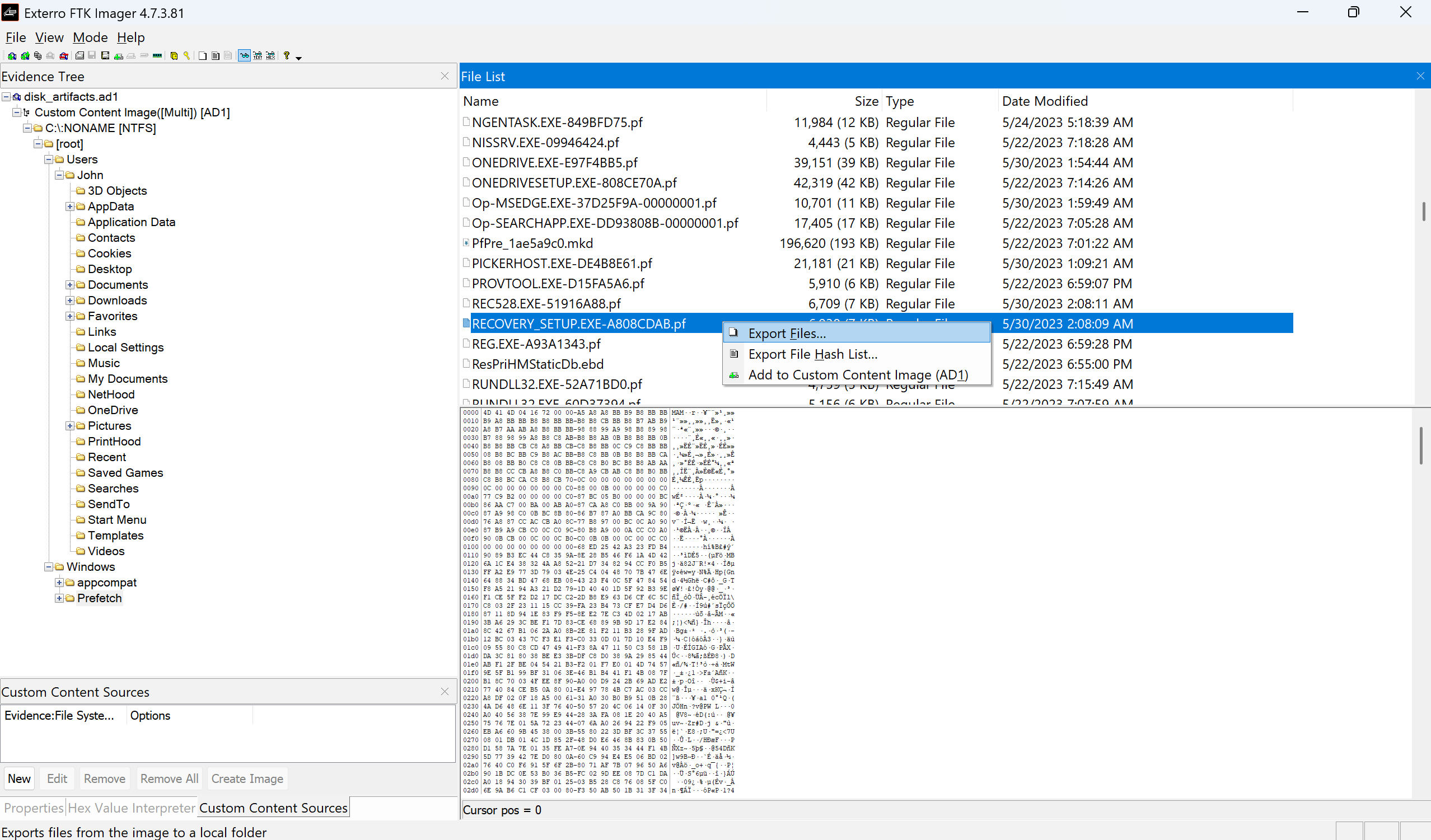
After exporting the file, and downloading the PECmd tool from Eric Zimmerman’s tools page I ran the command: .\PECmd.exe -f "C:\path\to\RECOVERY_SETUP.EXE-A808CDAB.pf" which returned some useful output.
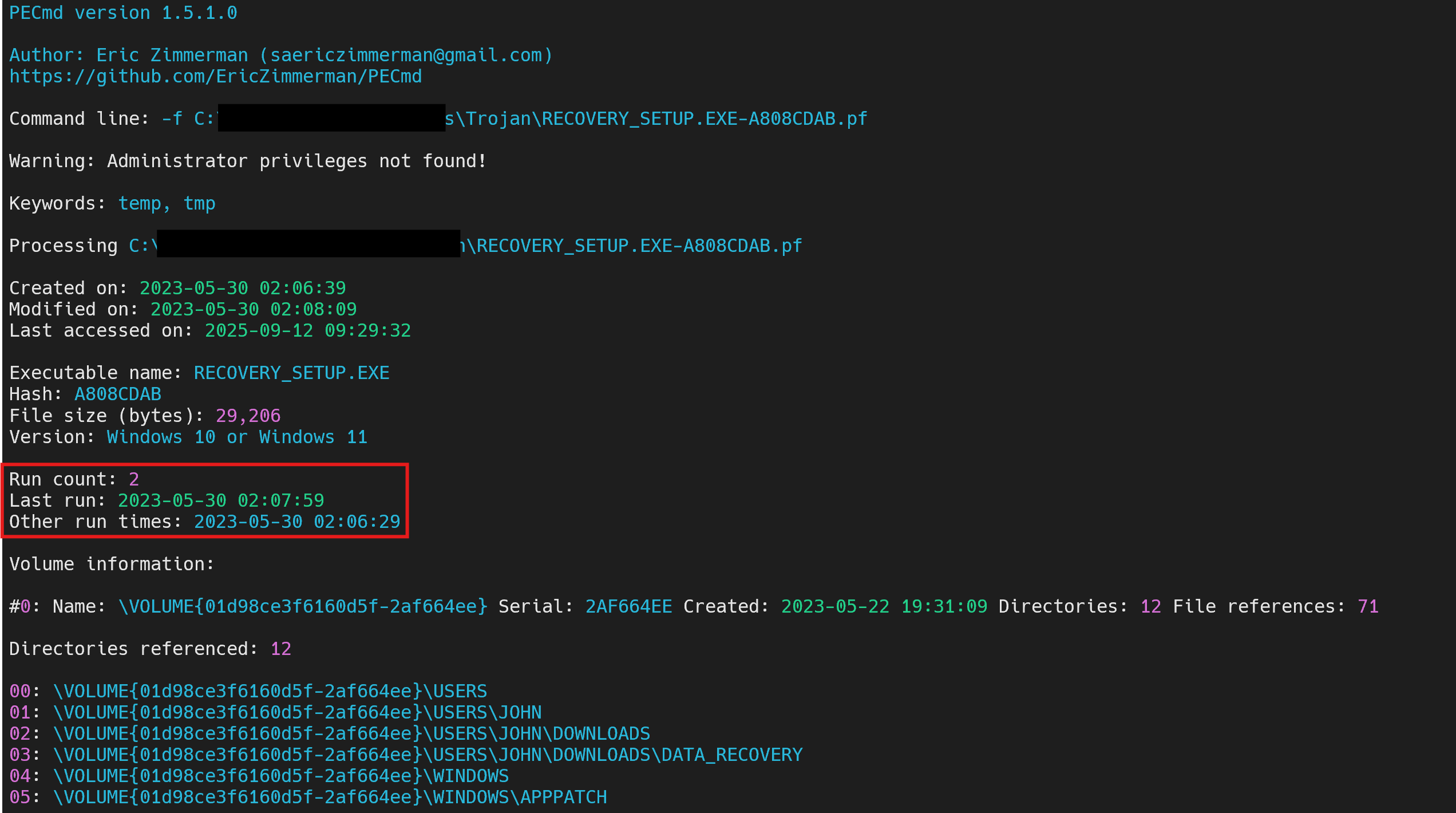
We can clearly see that the last run was made on the same day, but at 02:07:59 time. And from all the times displayed, the earliest one is at 02:06:29.
Answer: 2023-05-30 02:06:29
Task 9
- How many times in total has the malicious application been executed?
From the above picture, we can clearly see that the app has been executed 2 times.
Answer: 2
Task 10
- The malicious application references two .TMP files, one is IS-NJBAT.TMP, which is the other?
Further down on the same output we can find the IS-NJBAT.TMP file, next to another file with the same naming convention and extension.
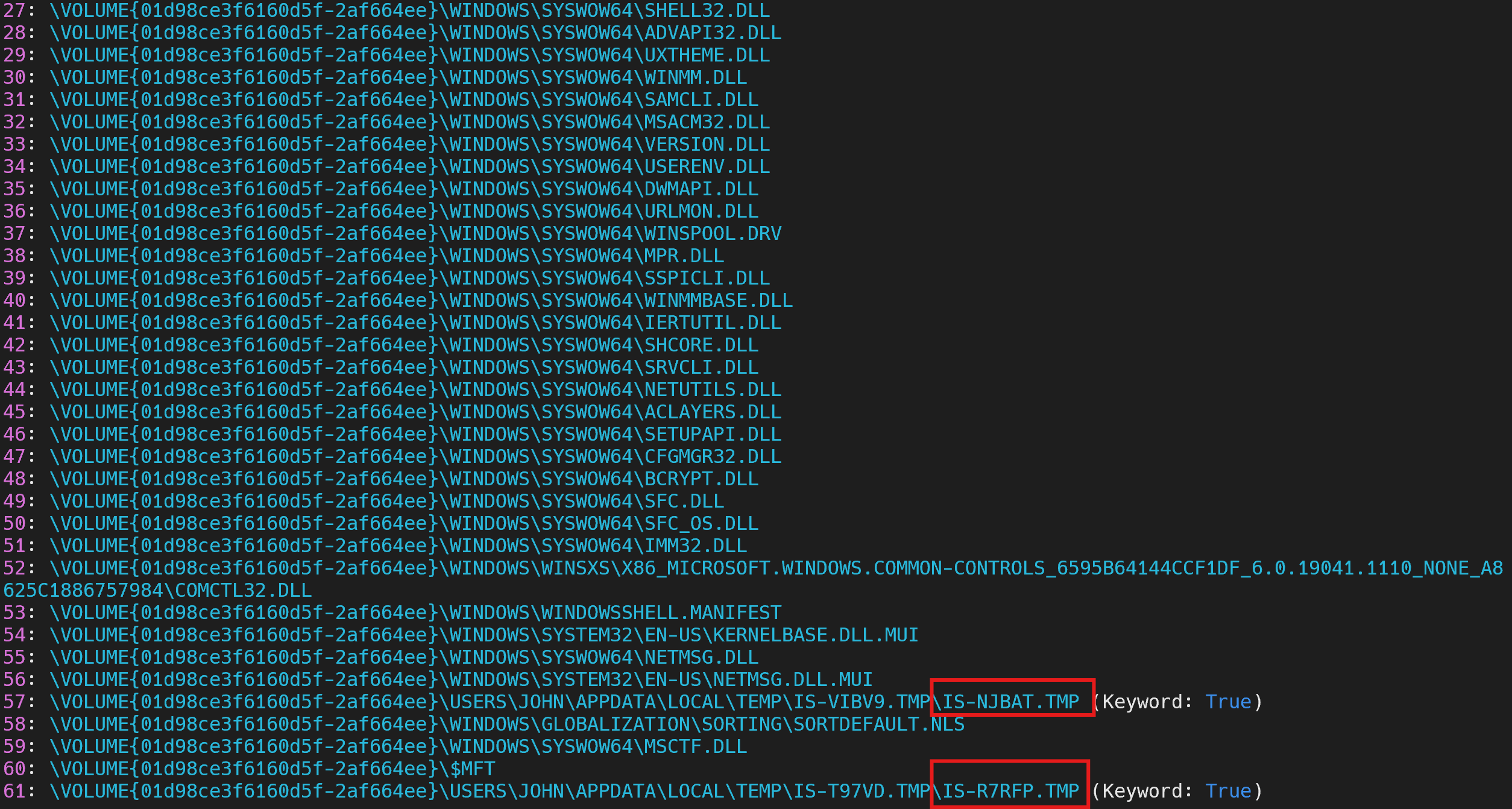
Answer: IS-R7RFP.TMP
Task 11
- How many of the URLs contacted by the malicious application were detected as malicious by VirusTotal?
For this task I uploaded the Recovery_Setup.exe file on VirusTotal and on the RELATIONS tab we can find 4 contacted URLs found as malicious.
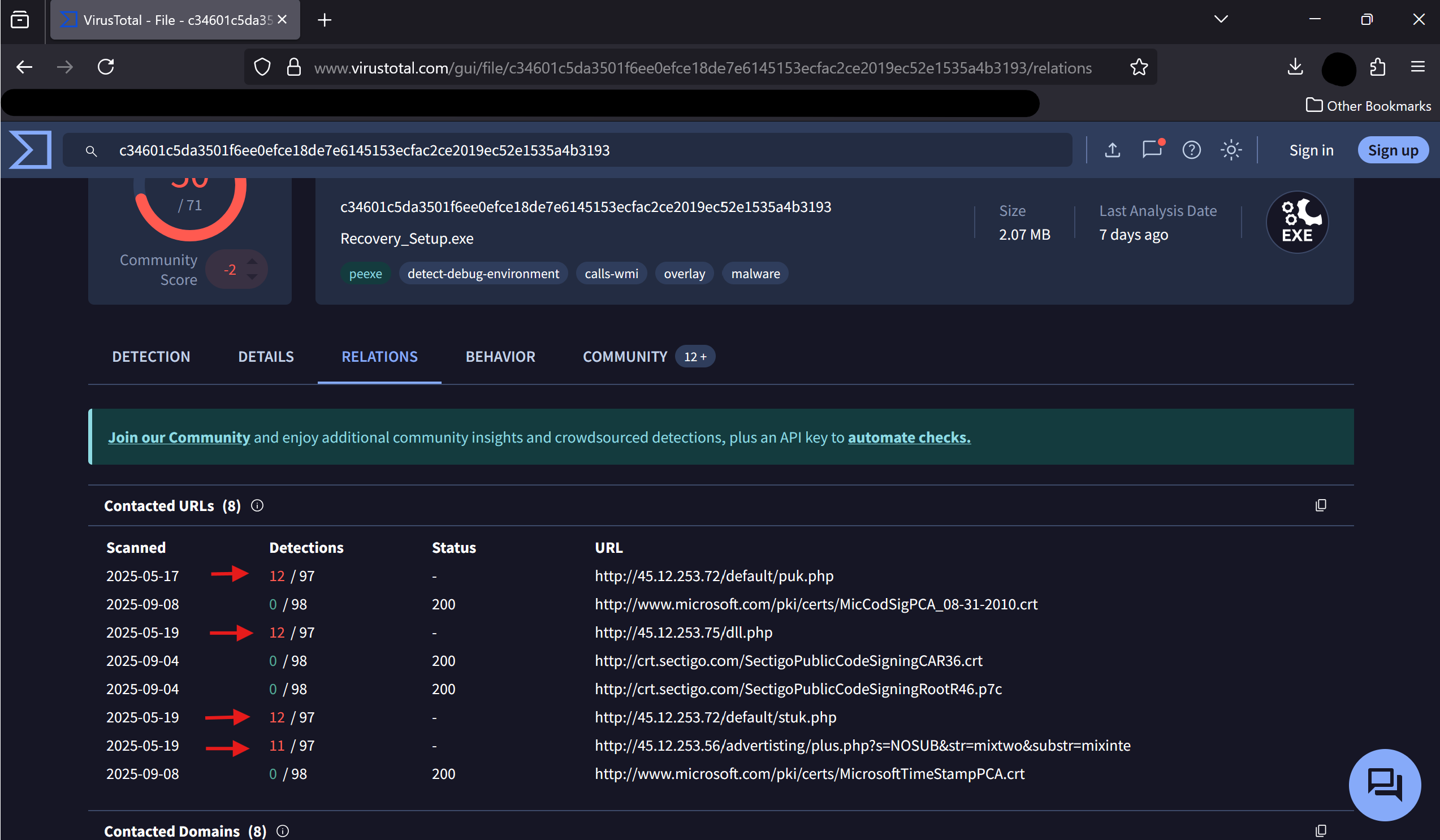
Answer: 4
Task 12
- The malicious application downloaded a binary file from one of the C2 URLs, what is the name of the file?
From the above picture, we can observe some files downloaded like puk.php, dll.php and others. Let’s verify each one of them to find which is the binary file that we’re looking for.
For this, I’ll get back to Wireshark and look for the first file puk.php.
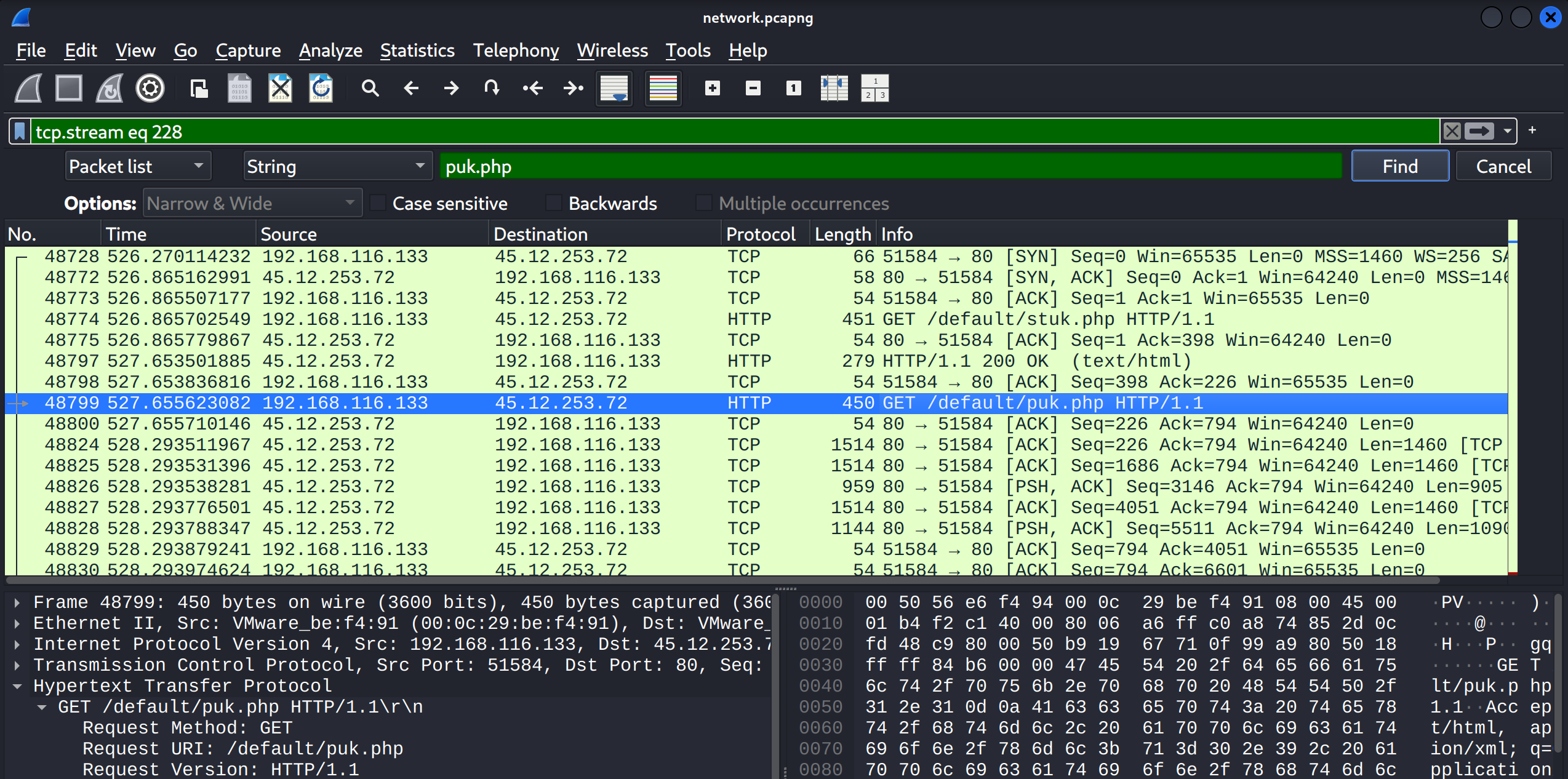
Then press Right-click on the packet -> Follow -> HTTP Stream, where we will find some useful details about this file.
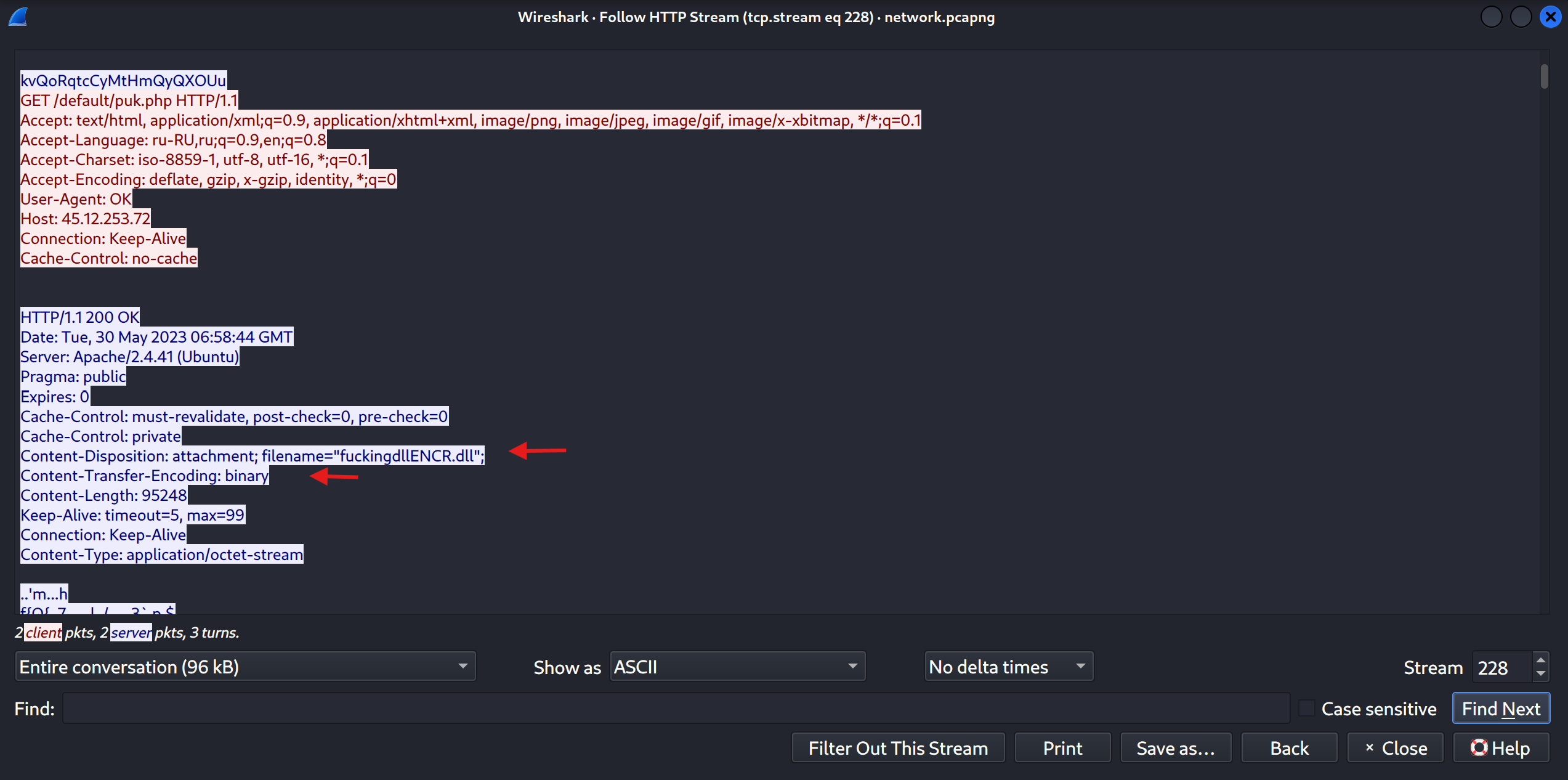
As we can see, the app downloaded a binary file via a GET request to /default/puk.php. The HTTP response contains a Content-Disposition header indicating a file named fuckingdllENCR.dll with a Content-Type of application/octet-stream and Content-Transfer-Encoding as binary, confirming that this was the downloaded binary that we’re looking for.
Answer: puk.php
Task 13
- Can you find any indication of the actual name and version of the program that the malware is pretending to be?
Coming back to our friend VirusTotal, in the COMMUNITY section, we can find a report related to this malware.
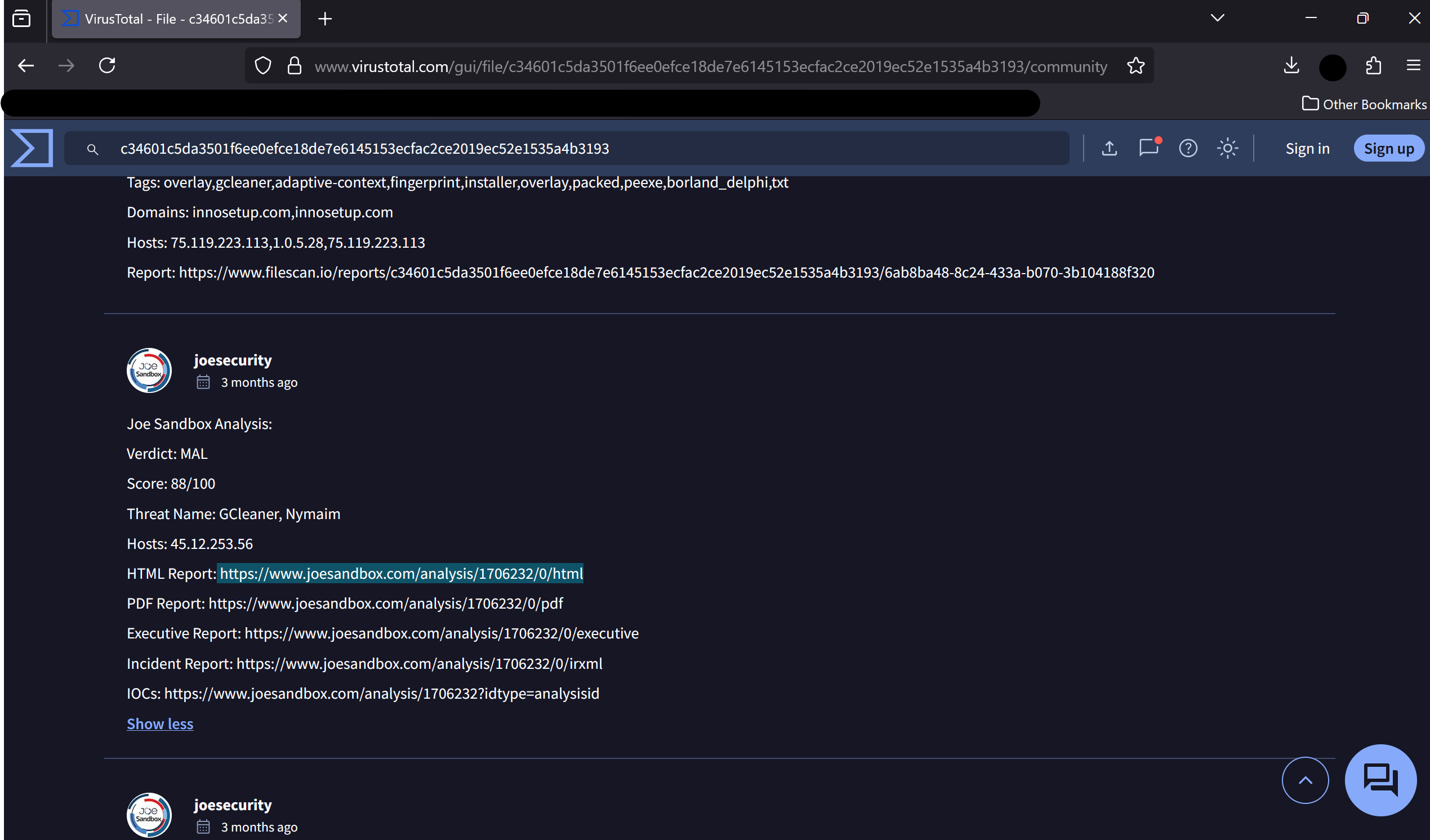
This report shows that this file is actually identified as a trojan donwloader, which impersonates a legitimate program called FinalRecovery v3.0.7.0325.
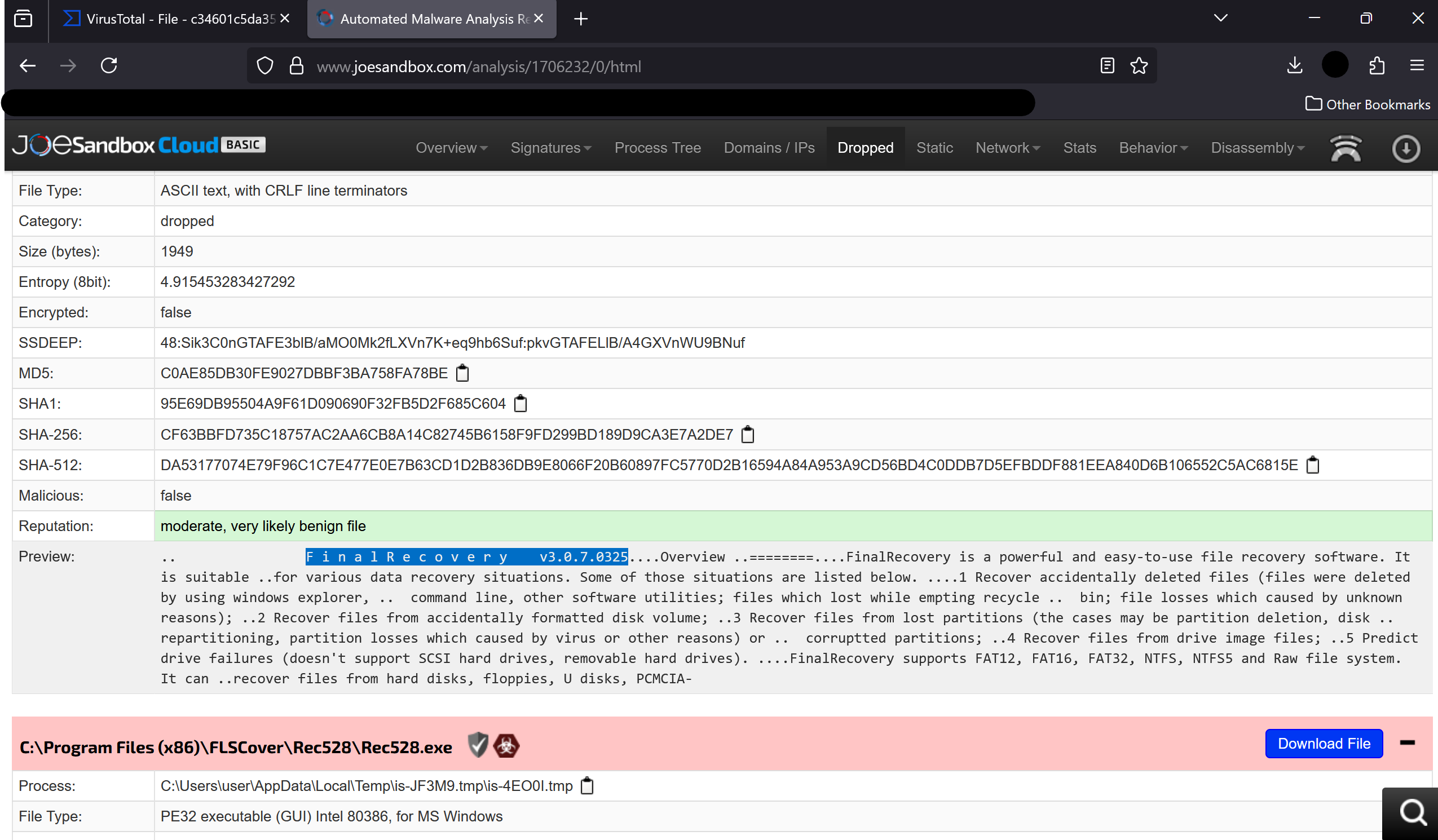
Answer: FinalRecovery v3.0.7.0325